Botslab G300H Plus Dash Cam Buying Guide
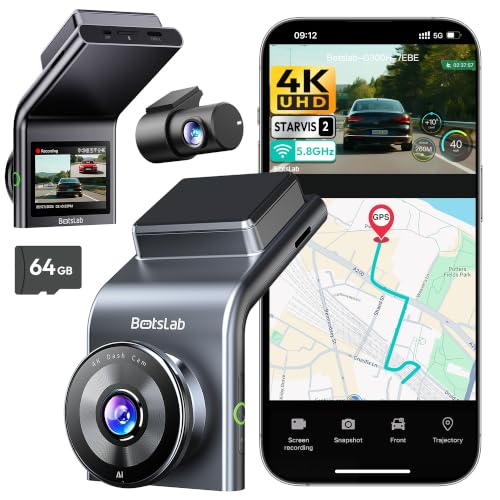
Two cameras cover traffic ahead and behind. The rear view can show a vehicle approaching before an impact, while the front recording shows the lane you occupied. Check how far the cable must travel around a hatchback's tailgate. Open the hatch completely before choosing the rear camera position.
- Front and rear recording
- 4K listed front resolution
- STARVIS 2 front sensor
Who the G300H Plus Suits
Choose this kit when traffic approaching from behind is part of what you want to document. A windshield-only recording can show the effects of an impact while missing the approach.
Practical Trade-offs of the G300H Plus
- Best fit
- The rear view can show a vehicle approaching before an impact, while the front recording shows the lane you occupied.
- Trade-off
- The HK40 Plus makes more sense when you only need the view through the windshield.
G300H Plus Camera Coverage and Specifications
| Specification | Botslab G300H Plus |
|---|---|
| Recording coverage | Front and rear |
| Listed front resolution | 4K |
| Configuration detail | STARVIS 2 front sensor |
G300H Plus Setup and Footage Access
Check how far the cable must travel around a hatchback's tailgate. Open the hatch completely before choosing the rear camera position.
To check the result, save a short clip from a familiar route and watch it on the screen you would use after an incident.
Alternatives to the G300H Plus
The HK40 Plus makes more sense when you only need the view through the windshield.
G300H Plus Questions Before Buying
Which views does the Botslab G300H Plus record?
The selected US kit records front and rear. Choose this kit when traffic approaching from behind is part of what you want to document.
What does the rear module add to the Botslab G300H Plus?
It lets you check following distance and movements behind the vehicle alongside the forward road view. Verify both clips after the first drive so you know the rear module has power and a clear line of sight.