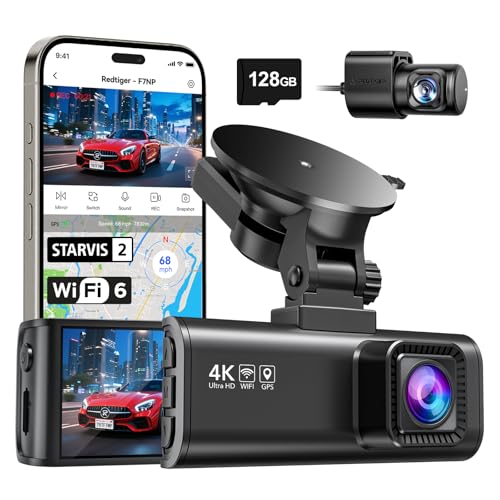
REDTIGER Dash Cam Lineup (F7NP and F17)
The F7NP covers the road ahead and behind. The F17 adds an interior channel to capture passenger activity along with the two road views. The comparison below covers the two US kits featured here. Use the table to see which views each camera records, then open a model guide for its mounting and footage retrieval considerations. Before ordering, match the full model name and camera count to the selected package. This matters when a retailer lists different configurations together. Check the listed accessories as well.
REDTIGER Dash Cams in the US Catalog
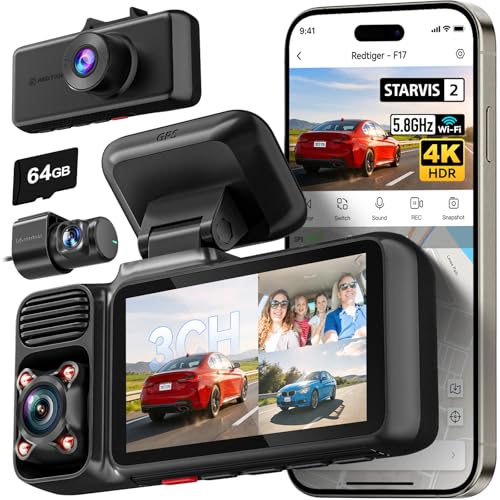
REDTIGER Dash Cam Comparison by Recording Setup
| Specification | REDTIGER F7NP | REDTIGER F17 |
|---|---|---|
| Recording coverage | Front and rear | Front, cabin and rear |
| Listed front resolution | 4K | 4K |
| Configuration detail | 1080p rear channel | 1080p cabin and rear channels |
Choosing a REDTIGER Dash Cam for Your Car
Choose the F17 if the inside of the car is also a view you need to save.
The F7NP is a two-camera alternative when front and rear road views cover your needs.
Common REDTIGER Dash Cam Questions
Which REDTIGER model includes a cabin camera?
The F17 has a cabin-facing channel in addition to front and rear road cameras. The F7NP kit here covers the road in two directions.
Which front and rear channels does REDTIGER list for the F7NP kit?
REDTIGER lists a 4K front camera and a 1080p rear camera for this kit. Check which hardware revision and bundle your listing shows.
How can I identify which version of the F7NP manual applies to my kit?
Compare the label and connector on your unit with the model and pictures in REDTIGER support. Include the F7NP revision or a label photo if you contact support.
What should I check before routing the F17 rear camera cable?
Test the camera first, check the route length including movement of the hatch, and follow the vehicle guidance for trim and airbag areas.
Where can I find the playback instructions for the F7NP or F17?
Use REDTIGER support or the manual supplied with the unit. Match the model and hardware revision before following device or app playback instructions.